Shipping Charges Nationwide Mobile & Others Rs.699/- | Laptops Rs.699/ | Important Announcement: Starting July 1st, 2025, the Government of Pakistan has implemented a 4% tax on all Cash on Delivery (COD) payments.
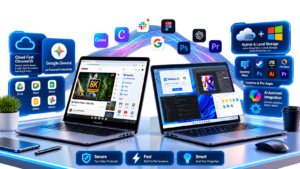
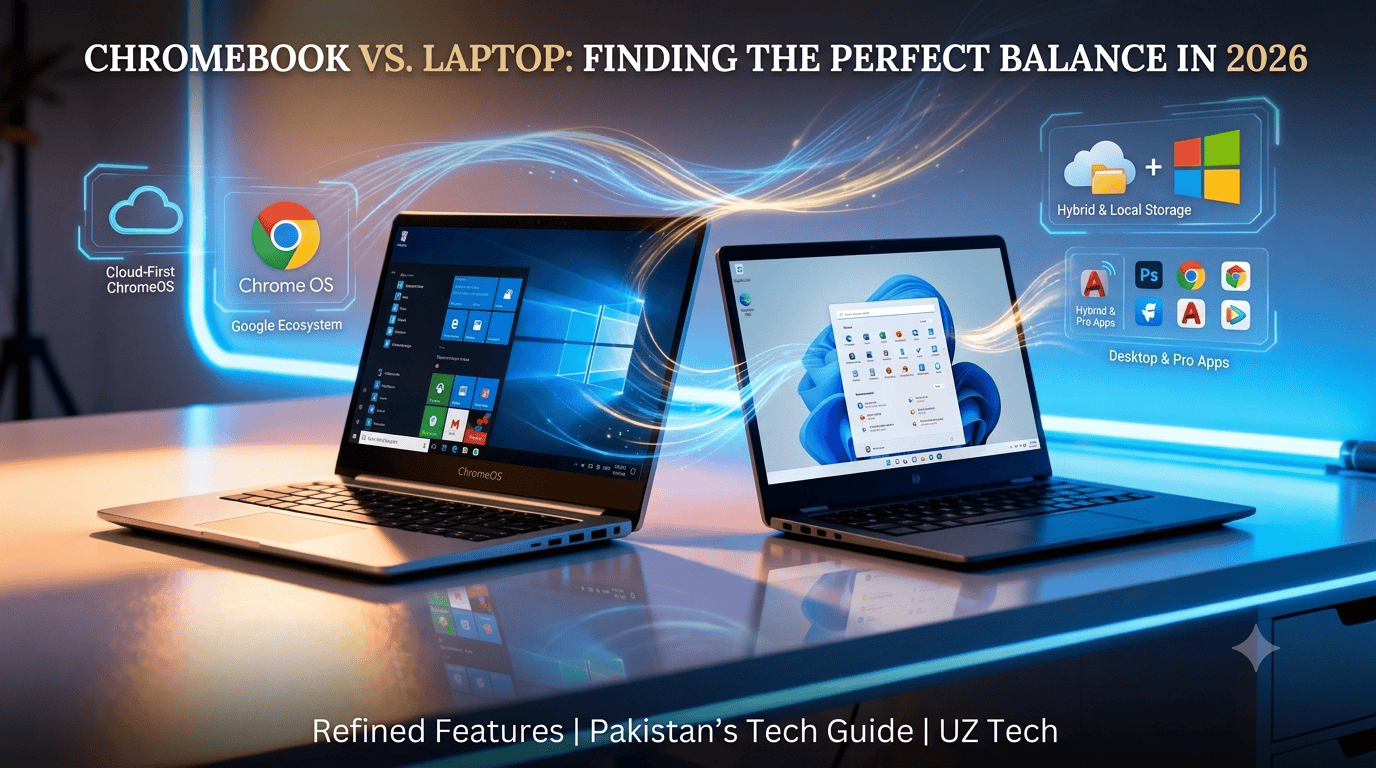
Choosing between a Chromebook vs laptop in Pakistan can feel overwhelming, especially when both look similar at first glance. But here’s the truth: they’re built for completely different purposes. Whether you’re a student looking for an affordable device for online classes, a professional needing powerful software, or just someone browsing options in Pakistan, understanding the real difference between a Chromebook and a laptop in Pakistan will save you from buyer’s remorse. In this complete guide, we’ll break down everything you need to know about Chromebooks vs. laptops, including performance, price, apps, and which one best suits your needs. The real difference between a Chromebook and a laptop in Pakistan will save you from buyer’s remorse (Chromebook vs laptop).
What Is a Chromebook?
A Chromebook is a lightweight laptop that runs on Chrome OS, Google’s web-based operating system. Unlike traditional laptops, Chromebooks are designed primarily for online use and rely heavily on the Google ecosystem.
Key features of a Chromebook:
Chrome OS operating system – Simple, fast, and secure
Google-centric – Works seamlessly with Gmail, Google Drive, Google Docs, and YouTube.
Fast boot time – Starts up in seconds.
Affordable pricing – Great for budget-conscious buyers
Cloud storage – Most files are stored online
Ideal for – Students, casual browsing, video streaming, online classes, and basic productivity tasks
Chromebooks are perfect if you spend most of your time online and don’t need heavy software installations.
A traditional laptop runs on Windows, macOS, or Linux and offers much more flexibility in terms of software, performance, and offline capabilities.
Key features of a laptop:
Windows or macOS – Full desktop operating systems
High software compatibility – Runs Adobe Photoshop, Microsoft Office, programming tools, video editing software, and more
Gaming-friendly – Can handle graphic-intensive games.
More storage and power – Comes with larger RAM, SSD/HDD storage options.
Strong offline functionality – Works perfectly without an internet connection.
Ideal for – Professionals, gamers, graphic designers, developers, and anyone needing advanced software
If you need versatility and power, a laptop is the better choice.
Chromebook vs Laptop – Key Differences
Let’s compare the differences between Chromebooks and laptops across the most important factors:
1. Operating System
Chromebook → Runs Chrome OS (Google-based, web-first interface)
Laptop → Runs Windows, macOS, or Linux (traditional desktop OS with full software support)
Winner: Laptop for flexibility, Chromebook for simplicity.
2. Apps & Software Compatibility
Chromebook → Supports web apps, Android apps from Google Play Store, and some Linux apps. Cannot run Windows software like the Microsoft Office desktop version or Adobe Premiere Pro.
Laptop → Runs full desktop applications, including Photoshop, AutoCAD, Visual Studio, Steam games, and more.
Winner: Laptop for professional and creative work.
3. Performance
Chromebook → Designed for basic tasks like browsing, streaming, Google Docs, and online meetings. Lightweight processors keep costs low but limit heavy multitasking.
Laptop → Can handle demanding tasks like video editing, 3D rendering, coding, and gaming. Higher RAM and CPU options are available.
Winner: Laptop for power users.
4. Price
Chromebook price in Pakistan → Typically ranges from PKR 30,000 to PKR 80,000
Laptop prices in Pakistan → Start at PKR 50,000 and go up to PKR 300,000+, depending on specs.
Winner: Chromebook for budget buyers.
5. Storage
Chromebook → Usually comes with 32GB to 128GB of local storage. Relies on cloud storage (Google Drive).
Laptop → Offers 256GB to 2TB of SSD/HDD storage for offline files, games, and software.
Winner: Laptop for those who need local storage.
6. Battery Life
Chromebook → Excellent battery life, often 8-12 hours on a single charge
Laptop → Battery life varies (4-10 hours) depending on usage and specs.
Winner: Chromebook for all-day battery.
7. Security & Updates
Chromebook → Automatic updates, built-in virus protection, and sandboxed apps make it very secure.
Laptop → Requires antivirus software and manual updates; more vulnerable to malware.
Winner: Chromebook for security and ease of maintenance.
Comparison Table
Operating System
Chrome OS
Windows/macOS
Software
Web + Android apps
Full desktop apps
Price
Low
Medium–High
Battery Life
8–12 hours
4–10 hours
Storage
Cloud-based
HDD/SSD
Security
High
Medium
Performance
Basic
High-end options
Which One Should You Buy?
Buy a Chromebook if:
You’re a student attending online classes
Your work involves mostly browsing, YouTube, and Google apps
You’re on a tight budget
You want a simple, hassle-free device
Long battery life is important to you
You don’t need to install heavy software
Buy a Laptop if:
You’re into gaming or graphic design
You need to run software like Photoshop, AutoCAD, or coding IDEs
You’re a professional requiring advanced productivity tools
You want more storage and processing power
You need strong offline functionality
You’re willing to invest more for versatility
Chromebook vs Laptop: Pros and Cons at a Glance
Chromebook Pros:
Affordable
Fast and lightweight
Long battery life
Secure and easy to maintain
Perfect for students and casual users
Chromebook Cons:
Limited software compatibility
Requires internet for most tasks
Less powerful hardware
Not suitable for gaming or heavy editing
Laptop Pros:
Runs any desktop software
Powerful performance options
Great for gaming, design, and development
Works perfectly offline
More storage options
Laptop Cons:
More expensive
Requires antivirus and maintenance
Heavier and bulkier (in most cases)
Battery life varies
FAQs: Chromebook vs Laptop
What is the main difference between a Chromebook and a laptop?
The main difference is the operating system. A Chromebook runs Chrome OS and is designed for web-based tasks, while a laptop runs Windows, macOS, or Linux and supports full desktop applications.
Is a Chromebook better than a laptop?
It depends on your needs. A Chromebook is better for students, casual users, and those on a budget. A laptop is better for professionals, gamers, and anyone needing advanced software.
Can a Chromebook run Windows apps?
No, Chromebooks cannot run native Windows applications. However, you can use web-based alternatives or Android apps from the Google Play Store.
Is a Chromebook good for students?
Yes! Chromebooks are excellent for students, especially for online classes, note-taking with Google Docs, research, and video streaming. They’re affordable and easy to use.
What is the price of a Chromebook in Pakistan?
Chromebook prices in Pakistan typically range from PKR 30,000 to PKR 80,000, depending on the brand and specifications.
Can I play games on a Chromebook?
You can play Android games and some cloud-based games, but Chromebooks are not suitable for high-end PC gaming like laptops are.
If your usage is 80% online → Buy Chromebook If your usage is 80% software → Buy Laptop
Ready to buy? Explore our collection of Chromebooks and Laptops to find the perfect match for your needs!
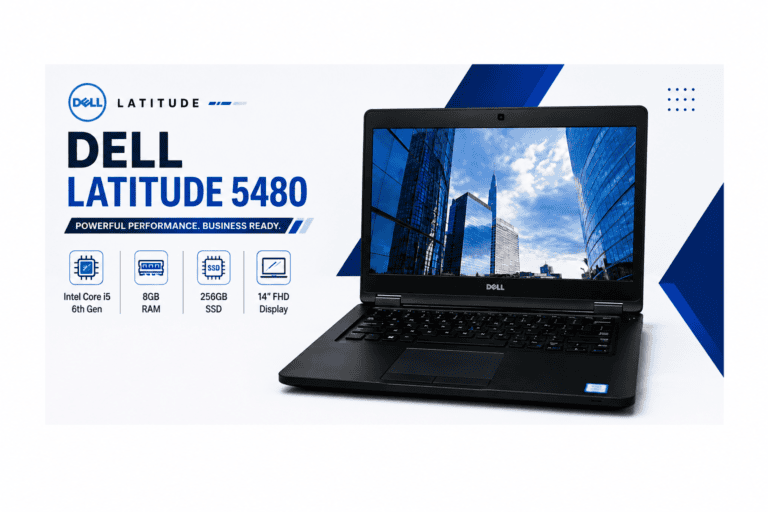
Dell Latitude 5480 Laptop – Core i5 6th Gen | 8GB RAM | 256GB SSD | 14-inch FHD The Dell Latitude 5480 Laptop is a dependable business-class laptop designed to deliver excellent performance for students, professionals, freelancers, and office users. Powered by an Intel Core i5 6th Generation processor, 8GB DDR4 RAM, and a 256GB…
Affordable, lightweight & perfect for everyday use — here’s what to buy in 2025. Chromebooks have become one of the most popular budget-friendly laptops in Pakistan, particularly for users who primarily browse the internet, watch videos, attend classes, or require a lightweight device for travel. Since Chromebooks run on Chrome OS instead of Windows, they…
Dell Latitude 15 5590 Laptop: The Ultimate 15.6 Inch Business Companion If you are looking for a reliable, fast, and durable laptop for work or studies, the Dell Latitude 15 5590 laptop is a brilliant choice. Built specifically for professionals, freelancers, and students, this machine balances performance and affordability perfectly. In this comprehensive review, we…
If you are looking for a powerful and reliable laptop in Pakistan that can handle everyday tasks, office work, light gaming, and multitasking efficiently, Core i5 laptops are the perfect choice. In this guide, we will cover the latest Core i5 Laptop Price in Pakistan 2025, top models from leading brands like HP, Dell, Lenovo,…